Posts

Showing posts from October, 2013

Install Lao Keyboard on Android phone

Image
I believe,your phones are probably able to read Lao, but can't type Lao language there are way to install or customize your Keyboard. you can download this multiling Keyboard on google play store https://play.google.com/store/apps/details?id=com.klye.ime.latin after installed this keyboard on your phone. following the instruction to select Languages you would like to use and change your default keyboard on your phone's setting. it won't be appeared Lao characters on Keyboard so first you have to install the plugin called MyAlpha  after you installed myAlpha plugin,Now you will able to see Lao characters on Lao Keyboard and you can type it now. but it won't be appeared when you type on the device that can't read Lao .so the way to root your phone and install the Lao font you can google it and search for my another blog.
How to read Lao on Android smartphone

Image
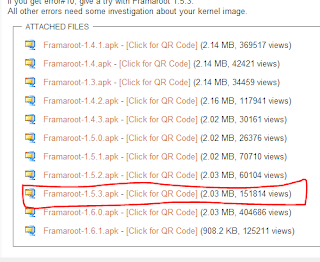
sabaidee, I have a LG P700 Smartphone and can't read Lao on mobile and internet browser I have been researching a lot of websites on internet and finally found this way and I hope it is going to help you guys out!   go to this website to download a software called Framaroot on this website http://forum.xda-developers.com/showthread.php?t=2130276 From that link you found the list of Framaroot version, as for my LG P700  I had selected on Framaroot 1.5.3 .apk.  (above picture) you can download that application by using QR CODE SCAN when you start to download this application, your system might ask you to change a setting  for accepting the Unknown source application. after you completely downloaded. you can see framaroot icon on your mobile select the framaroot icon and start to installsuperSU Select the install Supersu and then select Aragorn or Gandalf. I had selected Gandalf and if it works for your mobile which will succe...